
Game Space
Screenshots

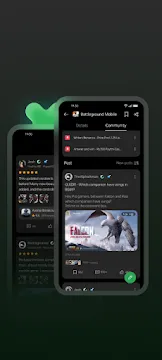
Game Space is a specialized application designed to enhance your mobile gaming sessions. It creates a dedicated environment where all your favorite titles stay organized. Instead of searching through a cluttered app drawer, you can access everything from one central location. This tool does more than just group apps together. It optimizes your system resources to ensure your device performs at its peak. Whether you play casual puzzles or heavy battle royales, this software helps you stay focused. It manages background processes and stops interruptions that could ruin a winning streak.
What is Game Space and How It Works
Game Space acts as a performance coordinator for your mobile device. When you launch a game through this app, it triggers a series of system-level adjustments. It prioritizes the processor and graphics chip specifically for the active game. This means your hardware puts all its energy into rendering frames and processing inputs.
The software also monitors your device temperature and battery health. If the phone gets too hot, the app can adjust settings to prevent damage. It creates a “virtual sandbox” where the operating system knows that gaming is the priority. This leads to a smoother experience without the lag caused by other background tasks.
Why Use Game Space for a Better Experience
Using Game Space provides several advantages for competitive and casual players alike. The primary benefit is the significant reduction in lag. By clearing the system RAM before a game starts, the app ensures there is plenty of room for game data. This results in faster loading times and more responsive controls.
Another major benefit is the customization it offers. You can create specific profiles for different games. For example, you might want maximum performance for a shooter but a battery-saving mode for a simple card game. This flexibility allows you to manage your device’s resources according to your current needs.
Key Features of Game Space to Explore
The feature set within Game Space is quite extensive. It addresses both performance and user convenience. Here are some of the most helpful tools you will find:
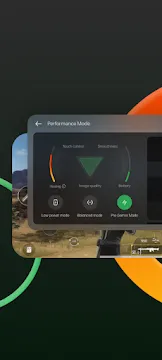
- Performance Modes: Choose between Low Power, Balanced, and Pro Gamer modes.
- Network Acceleration: This tool reduces ping and stabilizes your internet connection.
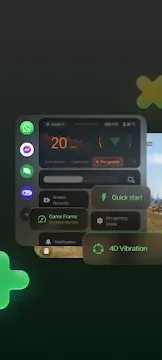
- Notification Management: You can block banners, calls, and texts while you play.
- Screen Recording: Capture your best moments with built-in high-quality recording tools.
- Touch Optimization: Increase the sensitivity of your screen for faster reactions.
- Brightness Lock: This prevents the screen from dimming automatically during dark scenes.
How to Optimize Performance with Game Space
To get the most out of Game Space, you should explore the “Pro Gamer” or “Competition” mode. This setting pushes the hardware to its limits to maintain a high frame rate. While it consumes more battery, it is essential for games that require quick reflexes.
You should also look into the network protection settings. This feature prevents other apps from using your Wi-Fi or data in the background. By doing this, the app ensures that your game gets the entire bandwidth. This is the best way to avoid “lag spikes” during online matches. Always make sure to enable the “Do Not Disturb” feature to keep your screen clear of pop-ups.
Managing Your Library and Settings Effectively
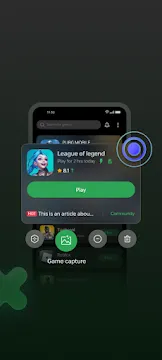
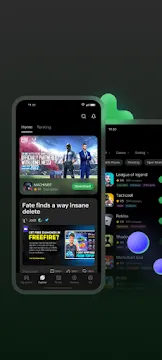
Organizing your games is simple with this utility. It automatically detects new installs and adds them to the dashboard. You can also manually add apps that the system might miss. The interface is clean and allows you to see your total playtime for each title.
Inside the settings menu, you can toggle “Mistouch Prevention.” This is a lifesaver for games that use gesture navigation. It prevents you from accidentally exiting the game when you swipe near the edges of the screen. You can also monitor your FPS (frames per second) in real-time. This helps you understand how well your device is handling specific graphics settings.
Enhancing Focus During Competitive Play
Focus is the key to winning, and this app helps you maintain it. By using the “Bullet Notifications” feature, you can still see important messages without them covering the screen. The text simply scrolls across the top in a thin line. This allows you to stay informed without losing sight of the action.
The app also handles incoming calls intelligently. Instead of taking over the whole screen, a small banner appears. You can choose to ignore it or answer it on speakerphone without leaving the game. This level of control ensures that your gaming session remains uninterrupted and enjoyable.
Conclusion
Game Space is an essential tool for anyone who takes mobile gaming seriously. It simplifies your library and boosts your hardware performance with just one tap. By managing notifications and optimizing network data, it creates a professional gaming environment on your phone. The ability to customize performance modes ensures that you can play longer or play harder, depending on your preference. If you want a smoother, faster, and more focused experience, this application is the perfect solution for your mobile device.